
How to Delete Your Account
You can permanently delete your Ai Home account at any time from within the app. Once confirmed, your account and all associated data will be removed within 5 working days.
Steps to Delete Your Account
Open the Ai Home App
Launch the Ai Home app on your Android device and make sure you are signed in to the account you wish to delete.
Go to Your Profile
Tap the Profile icon in the bottom navigation bar to open your account settings.
Profile tabScroll Down to Find "Delete My Account"
Scroll down through the settings menu until you see the Delete My Account option near the bottom of the list.
Settings → Delete My AccountConfirm Your Decision
A confirmation dialog will appear. Tap Confirm to proceed. You will be signed out immediately after confirmation.
Account Deletion Processed
Your deletion request is submitted. Your account and all data will be permanently deleted within 5 working days.
⏱ Up to 5 working days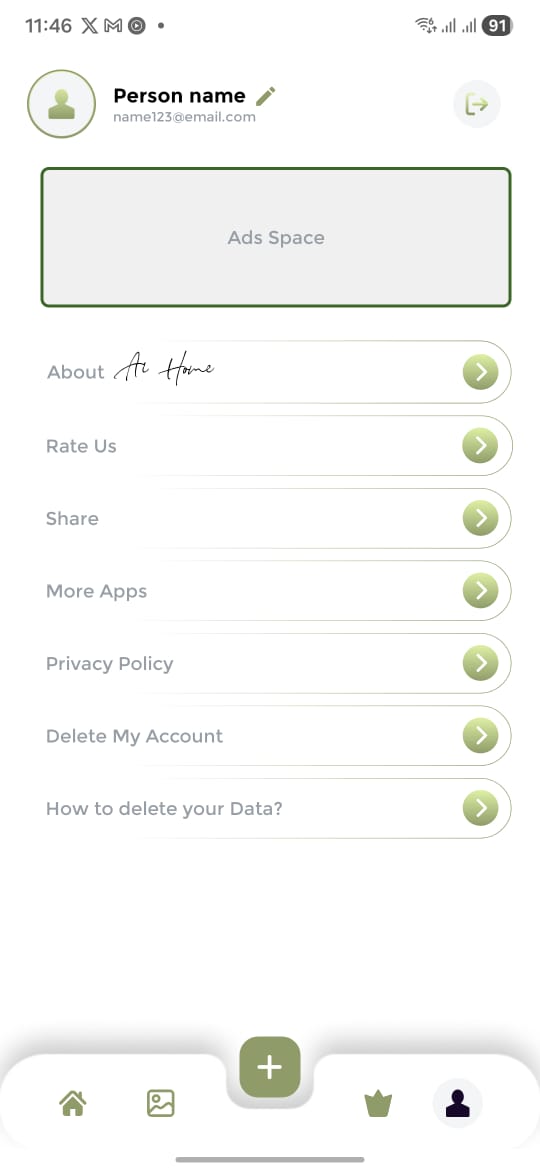
Step 3 — Profile Settings
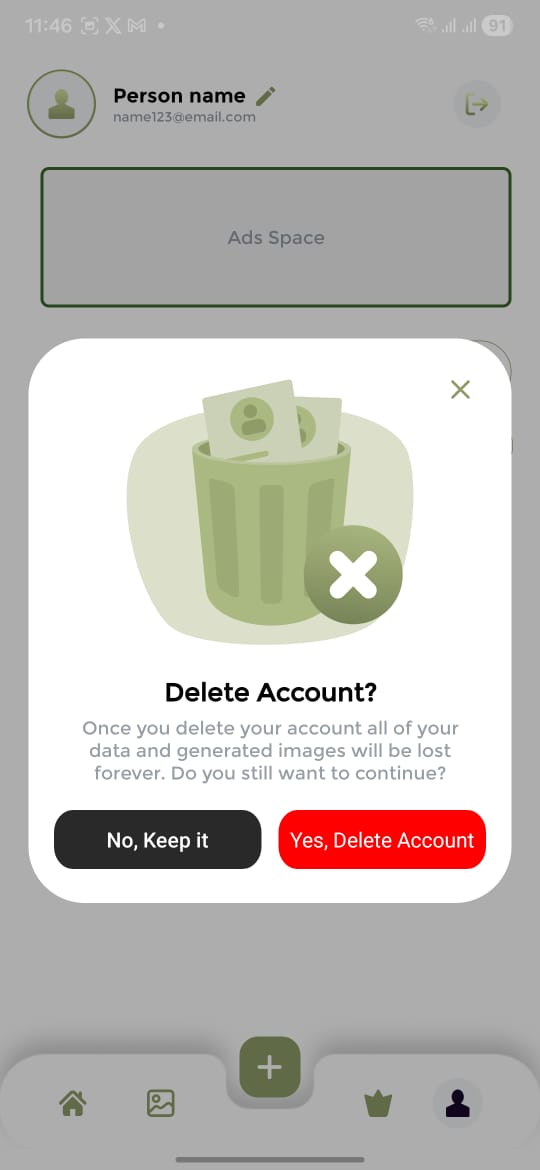
Step 4 — Confirm Deletion
What Data Is Deleted
- Account profile & email
- AI-generated home designs
- Remaining credits & purchase history
- Saved design preferences
- Usage history & analytics
- All Firestore user records
Deletion Timeline
Can't access the app? Request deletion by email
If you are unable to sign in or access the app, you can request account deletion by emailing us from the address associated with your account. Include your registered email address in the message so we can locate your account.
✉️ [email protected]